


PhCNC LS is a software specifically designed for PCB (Printed Circuit Board) prototyping. It generates an output G code, which allows the creation of prototypes, on practically any 3-axis CNC machine. It can save significant amount of money/time for anyone who already has a CNC system on hand that is accurate enough for the job. Due to the very specific requirements for Z axis performance (High RPM and very precise tool penetration) your CNC system may not give you the results that you can achieve using our prototyping machines. Please make all tests offered before you purchase this product.
PhCNC LS is a light version of our PhCNC software (offered with the machines from the series Accurate 3xx/5xx/4xx/6xx). The software generates a output G-code program for insulation, copper rubout, drilling, cutting and stencil manufacturing (top and / or bottom layer).
PhCNC LS does not include CNC controller, but only a hardware simulator of CNC machine (PhCNC360LS USB dongle):

• Enhanced version of PhCNC LS (PhCNC LS Pro) - Price: Ask for quote
List of available operations for PhCNC LS Pro:
| File import | Gerber RS-274X files; Excellon Drill and Definition files; AutoCAD DXF 2D files; CAM350 files |
| PhCNC project files | Load / save / import PhCNC project files (PHJ) in case of repeated projects machining |
| Object manipulations | Copy/ Delete/ Select/ Deselect/ Move/ Rotate/ Group/ Ungroup of objects and groups |
| Undo / Redo | Undo and redo for all object operations |
| Insulation | Insulation traces with up to 8 insulation tools |
| Rubout | Assign rubout regions. Rubout with up to 16 tools (8 rubout tools + 8 insulation tools) |
| Remove spikes (IPD) | Remove residual copper that remains as spikes (Insulation Problem Detector) |
| DRV & FI | Automatic detection of design rules violation (DRV) & forced insulation (FI) option for the problematic areas |
| Breakout tabs | Insertion of small interruptions of the cutout contour that allow the ready board to remain firmly attached to the main work piece |
| Vector text | Allows insertion of simple vector text into the design or as a separate project |
| Holes and pads insertion | Insertion of holes and pads |
| Panelization | PCB panelization |
| Gerber Export | Export gerber & drill files |
| Print gerber files | |
| Contour selection | Select inner / outer tool diameter compensation for all cutting operations |
| Visualization modes | Various modes of visualization of the project layers |
| "Machining window" | For machining of a pre-selected area of the project or processing of oversized projects along X axis |
| "Peck" mode | "Peck" mode solution for all high aspect ratio machining |
| Tools selection | Selection of tools for insullation, rubout, drill, cutout and stencil |
| G code output |
• Generation of G program for
Insulation (top and bottom layer). • Generation of G program for Rubout (top and bottom layer). • Generation of G program for Drill (top or bottom layer). • Generation of G program for Cutout (top or bottom layer). • Generation of G program for Stencil (top and/or bottom layer). |
Important:
In order to use G code on your CNC machine you must have a compatible driver software. It is recommended, before you purchase our software to do the following:
• Install PhCNC Demo, in order to review and test your projects (Gerber RS274-X & Excellon files)
• Execute the testing G code (G test), generated by PhCNC LS on your CNC machine
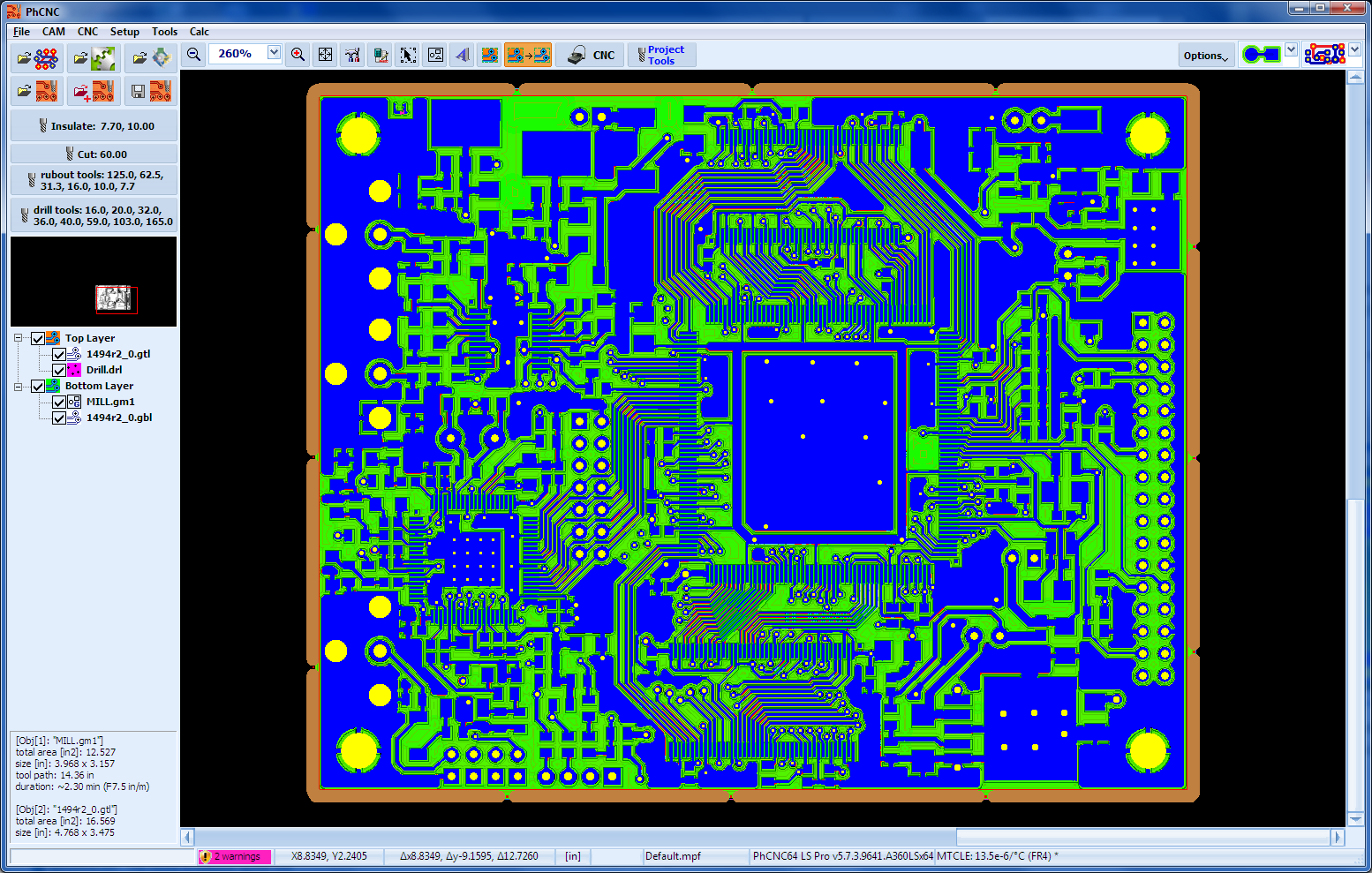
PhCNC LS has two modes of operation, namely, the CAM and CNC modes. At start up, PhCNC LS enters the CAM mode, where you can open your files and edit the final layout of your prototype. Here, you can also specify the tools, which will be used when the prototype PCB is being produced by your CNC machine.
In the CNC Mode, the user can execute (optional) the programs that have been generated by PhCNC LS to simulate the control of your CNC machine.
| CAM mode | CNC mode | |
 |
 |
The CNC mode of PhCNC LS is a hardware simulator of CNC machine with parameters, set-up by the user (working
sizes, tool paths, design, …).
For more information, please read the
manual of PhCNC (2.26
G-Code Export / PhCNC LS).
Minimum system requirements for PhCNC LS Pro (32-bit):
• OS: Windows Vista/7/8/8.1/10 (x86/32-bit) or XP/Vista/7/8.8.1/10 (x64/64-bit)
• CPU: 1GHz
• RAM: 2GB
• Video: 1024x768
• 1 USB port
Minimum system
requirements for PhCNC64 LS Pro (64-bit):
• OS: Windows XP/Vista/7/8/8.1/10/11 (x64/64-bit)
• CPU: 2GHz
• RAM: 4GB
• Video: 1024x768
• 1 USB port
Comparison of PhCNC with other rival software ...


 +1 (260) 489-7600